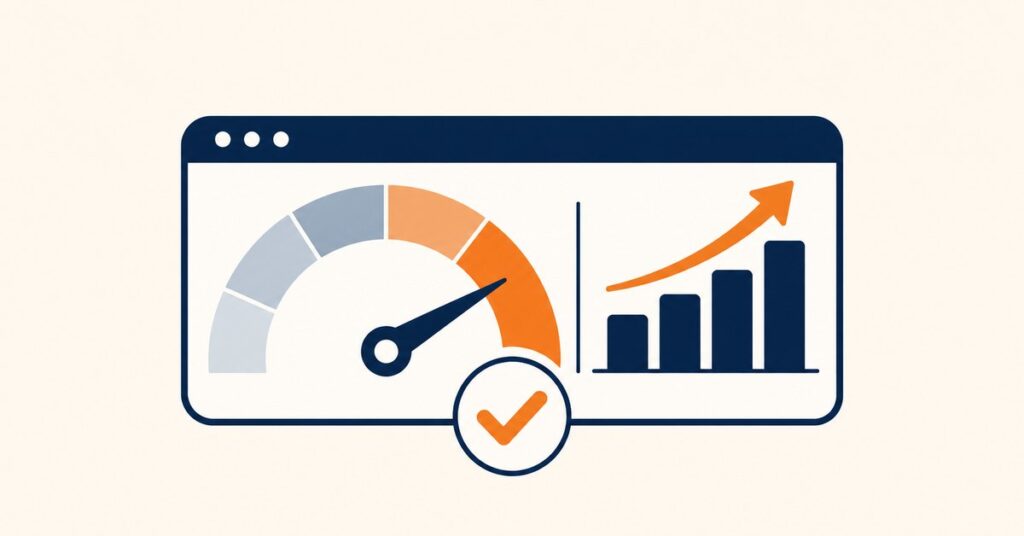
Google Ads Quality Score is a 1 to 10 diagnostic rating for each keyword. It compares your expected click-through rate, ad relevance and landing page experience with other advertisers. Google says it is not an auction input, so use it to find weak ads and pages, not as a number to maximize.
Improving the factors behind it can help your ads perform better, but results vary by account and nothing here is guaranteed.
This guide explains the score, how to read it in your account, how to fix each part and when to ignore it.
What is Google Ads Quality Score?
Quality Score is a 1 to 10 diagnostic rating at the keyword level. Google describes it as a way to gauge how your ad quality compares with other advertisers. It reflects how relevant and useful your keyword, ad and landing page are.
What it is: a diagnostic tool that points to weak spots in your ads.
What it is not: an input to the ad auction. Google's Help Center states that Quality Score is not an input in the ad auction (Google Ads Help, About Quality Score, https://support.google.com/google-ads/answer/6167118, as of 2026-10).
So do not chase a 10 for its own sake. Use it to find where your ads are weak.
What are the three parts of Quality Score and how do you see them?
Quality Score is based on three parts: expected CTR, ad relevance and landing page experience. Google rates each as below average, average or above average.
Expected CTR: how likely people are to click your ad when it appears for that keyword.
Ad relevance: how closely your ad matches the intent behind the search.
Landing page experience: how useful, relevant and easy to use your page is for people who click.
How to see them
- Open your Google Ads account and go to the keywords view.
- Open the columns icon in the upper right of the table, choose Modify columns for keywords, expand All columns, open the Quality score section and add Quality Score, Landing Page Exp., Exp. CTR and Ad Relevance (Google Ads Help, https://support.google.com/google-ads/answer/6167118, as of 2026-10).
- Sort by impressions or spend so you work on the keywords that matter first.
- Look for 'below average' ratings. Those are your to-do list.
Ignore keywords with tiny volume at first. The data may be thin. Start with those that spend the most.
How do you fix a low expected CTR?
Expected CTR improves when more of the right people click your ad, so work on these three things:
Ad copy: put the main keyword and a clear benefit in the headline. Say what you do, where, and why to choose you. Avoid vague claims.
Assets: add sitelinks, callouts and other assets that give more reasons to click.
Query match: check your search terms report. If you are showing for searches that do not fit your offer, add negative keywords and tighten match types. Clicks from poor matches pull your CTR down.
How do you fix low ad relevance?
Make your ad speak directly to the search. Ad relevance improves when the ad matches the intent behind the keyword.
Tighter ad groups: group closely related keywords together so each ad can match them. A group with ten different intents cannot have one ad that fits them all.
Match the language: if people search 'emergency furnace repair', the ad should say that and not just 'heating services'.
RSA pinning trade-offs: in responsive search ads you can pin headlines to fixed positions. Pinning helps when you must show a certain line, such as a legal statement or the keyword. It also reduces Google's room to test combinations, which can limit performance. Pin only what you must.
How do you fix a poor landing page experience?
Keep it simple and check four things:
The page matches the ad and the search. The headline and offer should echo what the person clicked. The page loads quickly on mobile. The phone number and form are easy to find. The page is clear and trustworthy, with real contact details.
A separate guide to landing pages that convert Google Ads traffic is planned, so this section stays short. If the page itself is the problem, see our conversion rate optimization service: https://logicinbound.com/conversion-rate-optimization/ . If you get clicks and no leads, read: https://logicinbound.com/why-your-google-ads-are-getting-clicks-but-no-leads/
When should you ignore Quality Score?
Ignore it when it cannot guide a decision. Quality Score is not useful everywhere.
Campaign types that do not use keywords: Google describes Quality Score as available at the keyword level, so there is no keyword score to manage where there are no keywords (Google Ads Help, https://support.google.com/google-ads/answer/6167118, as of 2026-10).
Brand campaigns: your own brand terms often score well and cost little. Do not spend time on them.
Low-volume keywords: the score may be based on very little data, so do not make big decisions from it.
Most important: if a keyword brings profitable leads, do not change it because its score is low. Cost per lead and revenue come first.
What could a Quality Score improvement look like in CPC terms?
It could lower your cost per click, but it depends on your account. The example below uses made-up numbers and is not a Logic Inbound client result or a guarantee.
Google says Quality Score itself is not an auction input, but the ad quality factors behind it can still affect how your ads perform and what you pay. This post does not model the exact auction math, so use the hypothetical numbers below only to see the shape of the idea.
Illustration only (hypothetical numbers):
Keyword: emergency furnace repair Before: Quality Score 4, average CPC $10.00 (example only), 100 clicks, spend $1,000 After: Quality Score 7, average CPC $8.00 (example only), 100 clicks, spend $800 Result in this example: the same clicks for $200 less, or about 25 more clicks for the same $1,000
Check the math in your own account. Quality Score does not move your costs by a fixed percentage. Pull your own before-and-after numbers over the same period, and compare cost per lead, not only CPC. For tracking ideas, see https://logicinbound.com/7-ways-to-track-your-seo-performance-and-drive-better-results/ Here is one real account. For a Phoenix mold removal company, we rebuilt the campaigns around tightly targeted ad copy aimed at the searchers most likely to book. Average cost per click fell from $15.27 to $5.21, average clicks per ad rose from 110 to 349, and monthly jobs went from zero to 25. We did not publish its Quality Score columns, so treat this as what better ad relevance looks like in the numbers you pay for, not as a Quality Score reading.
Want your Quality Score and cost per click reviewed?
Logic Inbound sells Google Ads management, so we have an interest in you hiring us. The checks in this post work without us. If you want a second set of eyes, we audit Google Ads accounts to find where you may be paying too much for clicks. Request a Google Ads audit: https://logicinbound.com/google-ads-management/
What is a good Quality Score?
Quality Score is a 1 to 10 diagnostic rating at the keyword level. Google describes it as a way to gauge how your ad quality compares with other advertisers. A higher score is better, but Google does not publish a target number, so treat it as a signal for finding weak ads and pages.
Does Quality Score affect cost per click?
Not directly. Google says Quality Score is not an input in the ad auction. The ad quality factors behind it, such as expected click-through rate and landing page experience, can still influence how your ads perform and what you pay. Improve those factors, then judge results by cost per lead, not CPC alone.
How can I improve Quality Score fast?
Start with your highest-spend keywords. Group closely related keywords together, match ad copy to search intent, remove poor-match search terms with negative keywords, and make sure the landing page fits the ad. Fix the components rated below average first, then review results over a full period.
Why can’t I see Quality Score for my keyword?
A score may be missing for new or low-volume keywords, because there is little data to judge them. Check the keywords view and the columns you have added. Give new keywords time to collect impressions before judging them, and do not pause a profitable keyword only because it has no score.
How often does Quality Score update?
Quality Score changes over time as Google gathers more data about your ads. Do not make changes based on one day of data. Review keywords over a consistent period, compare cost per lead before and after each change, and change one thing at a time so you can tell what helped.